
Modules connect agents to your tools – such as GitHub, Slack, Notion, Sentry or Stripe. A module brings tools (e.g. “Open pull request”) and often events an agent reacts to on its own (e.g. “Pull request opened”). Many modules have their own docs page under crew.nema.im/integrations/‹name›, e.g. Sentry and Slack.
Connect
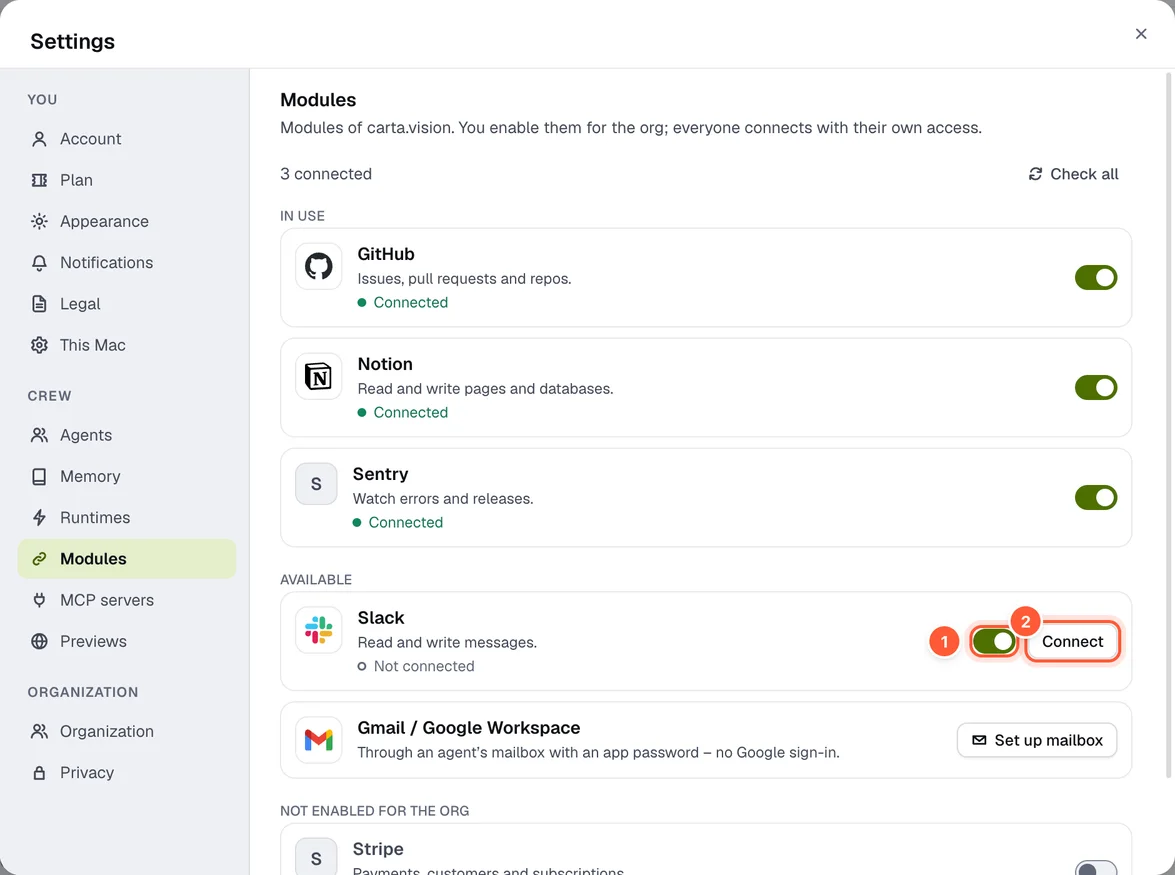
Settings → Modules shows all modules of the context, grouped into In use, Available and Not enabled for the org.
-
Enabled for the org – admins and owners switch this on once for the organization
-
Connect – every member with their own credentials
-
In an organization, an admin enables the module once (Enable for org).
-
Then every member connects with their own credentials:
- Sign in via browser (OAuth): after signing in, the browser jumps back into the app.
- Credentials: fill in the fields, Save & test.
-
Test connection checks access, Disconnect signs out.
Before you connect a module, the app shows its privacy notice. Gmail and Google Workspace don't run as a module but through an agent's mailbox with an app password.
An agent's modules
In the profile Edit modules (or step 5 when creating): tapping a tile enables a module for this agent.
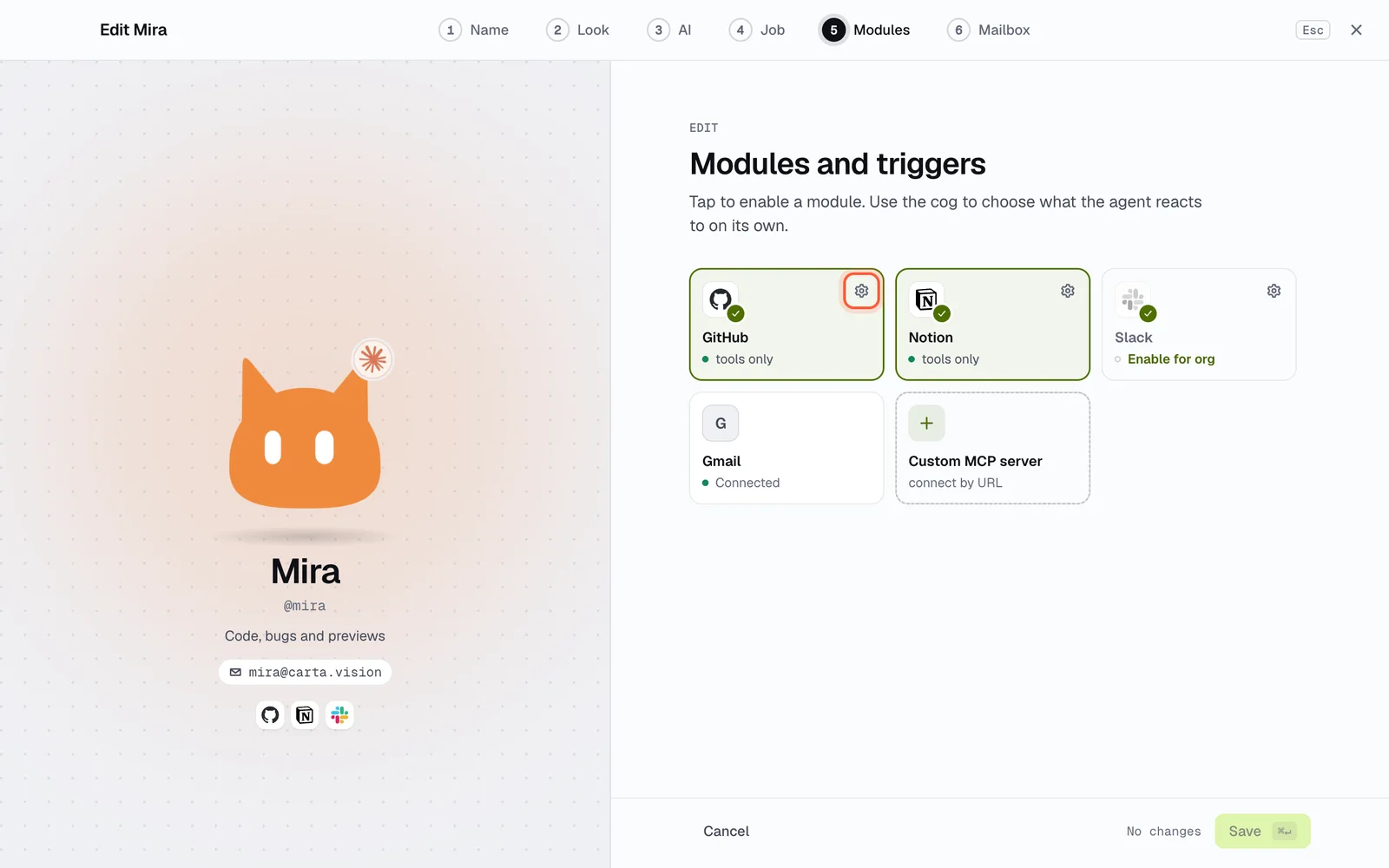
The gear opens Settings for ‹module›:
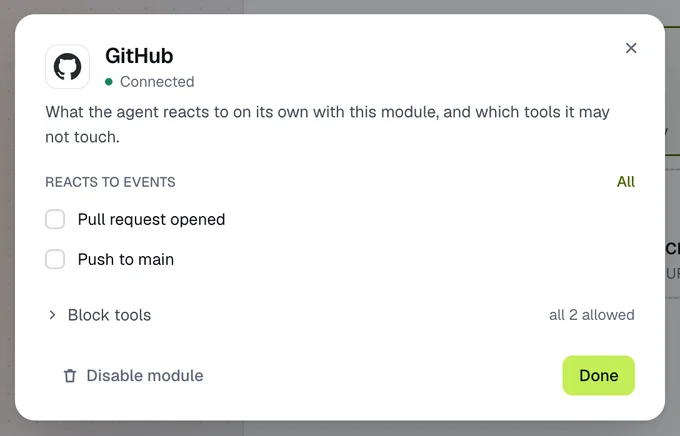
- Reacts to events: webhook events that wake the agent (All, None or one by one).
- Checks regularly: polling at fixed intervals, for modules without webhooks.
- Block tools: the agent may not use ticked tools.
- Disable module takes it away from the agent again.
When an event wakes an agent, the top of its answer shows where it came from – e.g. “Sentry · New issue”.
Images and videos with Higgsfield
With the Higgsfield module, agents create images and videos. You see the cost up front; nothing starts until you confirm.
Instagram: auto-replies
An agent can answer comments and direct messages that contain certain keywords on its own. Ask it, for example: "When someone comments 'price', reply with the link to the price list." It shows you the rule as a preview; once you confirm, it answers matching comments and messages without asking and tells you afterwards. For this it has to listen to New comment on my post or New direct message.
- At most one auto-reply per comment and per message.
- Direct messages only within 24 hours after the person's last message.
- Optionally also a private message to the person who commented (up to 7 days later).
- Without a matching rule, the agent suggests a reply and waits for you.
More in the Instagram docs.
Privacy with modules
What comes out of a module – results, events – is seen by the model in pseudonymised form if pseudonymisation is on for that module. What the agent writes into a module goes out with the real values. With field masks you always protect individual fields of an event, even without pseudonymisation – see Field masks.