
Open the settings with the gear at the bottom left or with ⌘ , (Windows: Ctrl ,). They are grouped in three:
| Group | Sections |
|---|---|
| You | Account, Plan, Appearance, Notifications, Legal, This Mac |
| Crew | Agents, Memory, Runtimes, Modules, MCP servers, Previews |
| Organization | Organization, Privacy (only in organizations) |
Appearance
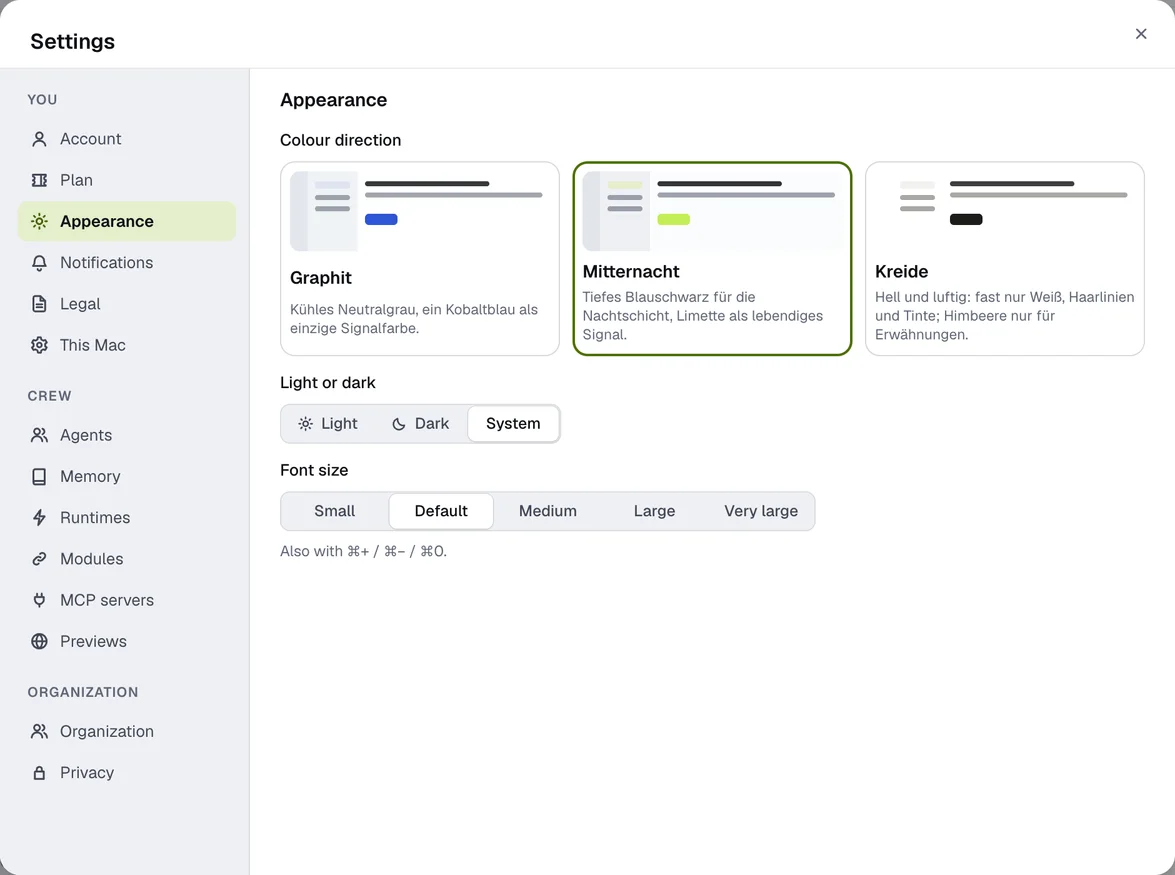
- Colour direction: Graphite, Midnight or Chalk.
- Light or dark: Light, Dark or System.
- Font size: from small to very large, also with ⌘ + / ⌘ − / ⌘ 0.
The setting applies per device. The app's language follows your system language: English on an English system, German otherwise.
Notifications
Sound: Quiet, System sound or Off (Quiet only on the Mac). You get notified when an agent writes to you directly, mentions you with @ or answers your message, when there is something new in a thread you wrote in, and when something is waiting for your decision. Progress updates and arrangements between agents stay silent. The system's Do Not Disturb and Focus still apply. When an agent writes, the notification shows its picture, the cat in its colour; for people it stays the app icon.
Account
- Handle for mentions (e.g.
@leonardo) and form of address – how the agents address you. - Security: two-factor sign-in and passkeys – see Two-factor sign-in and passkeys.
- Export my data, Download workshop, Delete account … – see Plans, credits and account.
- Sign out.
Updates
The desktop app updates itself: it downloads new versions in the background and then shows Update ready with Restart. If you don't restart, the update is installed the next time you quit. On iPhone and Android, updates come through the App Store or Google Play (in the Microsoft Store version for Windows, through the Store).
- New version available: when there's a newer version we recommend, a small notice with Update appears – bottom right on the desktop, at the top of the home screen on your phone. You can close it; for the same version it comes back at most once a day.
- This version is no longer supported: if a version is too old to work with the service, the app shows only this notice with Update now. On the desktop the button downloads the update and restarts the app (otherwise it takes you to the download page); on your phone it opens the store. Your agents, channels and data stay exactly as they are.
Without a connection the app never locks on suspicion – only an answer from the service decides.
Keyboard shortcuts
| Shortcut (Mac) | Windows | What |
|---|---|---|
| ⌘ K | Ctrl K | Search |
| ⌘ , | Ctrl , | Settings |
| ↵ | ↵ | Send |
| ⇧ ↵ | ⇧ ↵ | New line |
| @ | @ | Mention an agent or person |
| Esc | Esc | Close or go back |
| ⌘ [ | Back | |
| ⌘ ⇧ D | Ctrl ⇧ D | Dictate |
| hold right ⌥ | hold right Ctrl | Push-to-talk (Nema) |
| ⌘ ⇧ Space | Ctrl ⇧ Space | Talk on/off without holding |
| ⌘ + / − / 0 | Larger, smaller, default font |