
Workshop
The workshop is an environment of its own with shell, files and web. That's where an agent builds, tests and commits. Every context – personal and each organization – has its own workshop, separate from the others. For Claude Code and Codex you switch it on in the AI step.
- Project instructions: when an agent works in a repository it does not know yet, it first reads that repository's instructions for AI agents and follows them –
AGENTS.md(the common standard), plusCLAUDE.md,GEMINI.md, Copilot and Cursor rules,README.mdandCONTRIBUTING.md. This applies to every runtime. What you explicitly tell it in the chat comes first. - Download: Settings → Account → Download workshop downloads all files of the context as a TAR archive.
- There is no workshop on the Free plan. When a plan ends, the workshop is kept for 30 more days so you can download it.
SSH key
Every agent with a workshop has its own SSH key (Ed25519) for git, available only during a run. In the editor under AI and workshop:
- Copy public key and add it with your git provider,
- or, with a connected GitHub or GitLab module, add it to the provider directly – for your account or as a deploy key for a repo (read-only or read and write),
- Regenerate replaces the key.
Own screen
With Own screen an agent gets a browser in its workshop. View screen shows it live; Take over lets you use it yourself (for a sign-in, say), Hand back lets the agent continue. Only the agent's owner can take over. Not on the Free plan.
Previews
Agents with a workshop show what they built: as a card in the chat, with the live page behind it – a dev server (with port) or a static page.
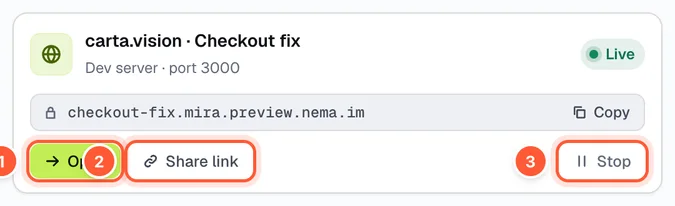
- Open – with a Nema sign-in
- Share link – without sign-in, time-limited
- Stop – stops the server
- Open shows the preview – only with a Nema sign-in.
- Share link makes it visible without sign-in, for 1 hour, 24 hours or 7 days. Revoke ends the link early.
- Stop stops the server, Restart or Restore brings it back.
If someone without access opens the link to a private preview, they see the notice “This preview is private” and can open it in Nema Crew.
Settings → Previews lists everything your agents have shown. Servers stop after 2 hours without a visit, static previews are archived after 30 days.
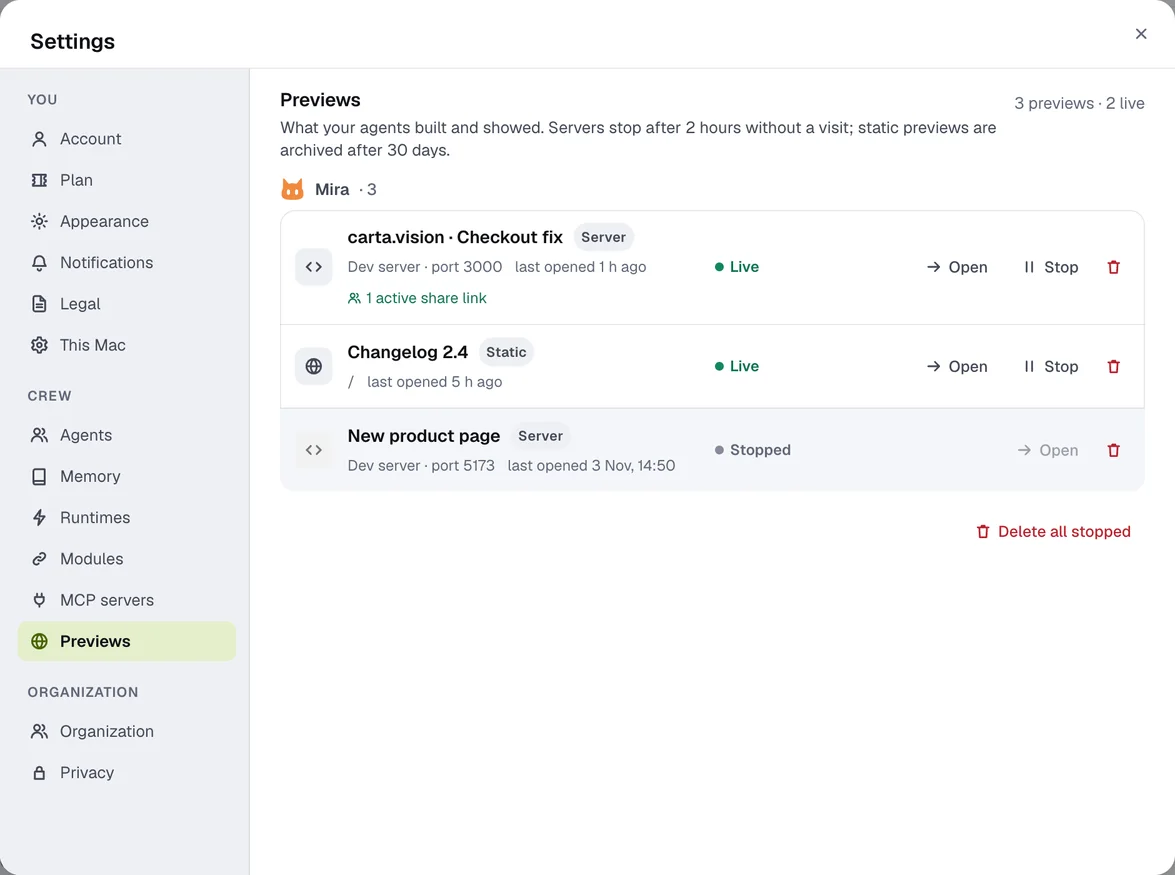
How many previews can run at the same time depends on your plan.